查看状态
1
2
|
sudo systemctl start cron
Failed to start cron.service: Unit cron.service is masked.
|
This error means that the cron service has been intentionally disabled (“masked”) on your system. When a service is masked, it cannot be started, even manually.
需要重新启动
1
2
3
4
|
sudo systemctl unmask cron.service
sudo systemctl start cron.service
sudo systemctl enable cron.service
sudo systemctl status cron.service
|
把 vim /etc/rsyslog.d/50-default.conf 里面 cron 相关注释去掉。这样可以查看 cron 运行的日志文件 /var/log/cron.log
1
2
3
4
5
6
7
8
|
# 开启 cron 日志记录: /var/log/cron.log
vim /etc/rsyslog.d/50-default.conf

# 重启  rsyslog 服务
sudo service rsyslog restart
sudo service cron restart

ls -alh /var/spool/cron/crontabs/
|

 william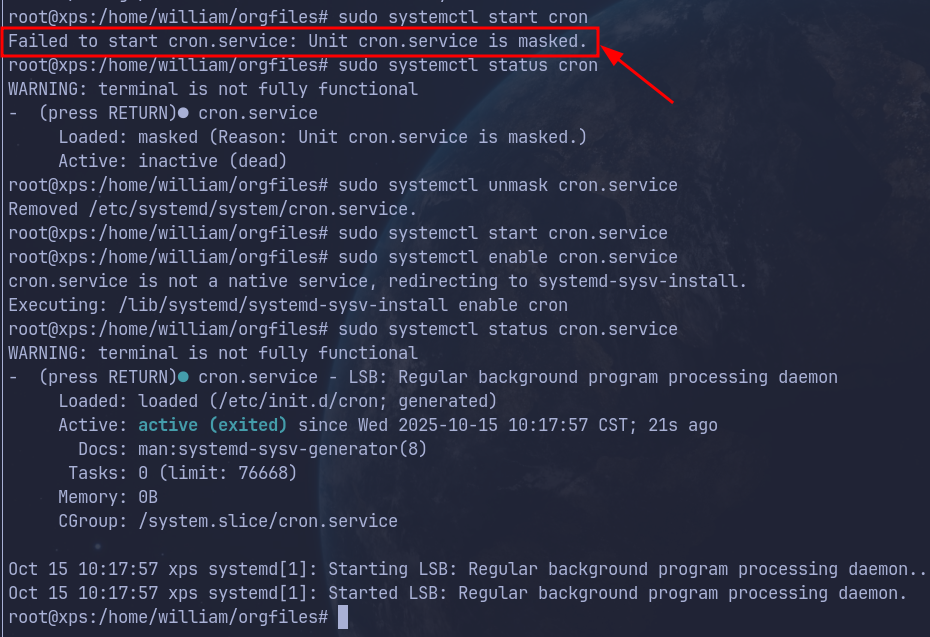
 支付宝
支付宝
 微信
微信